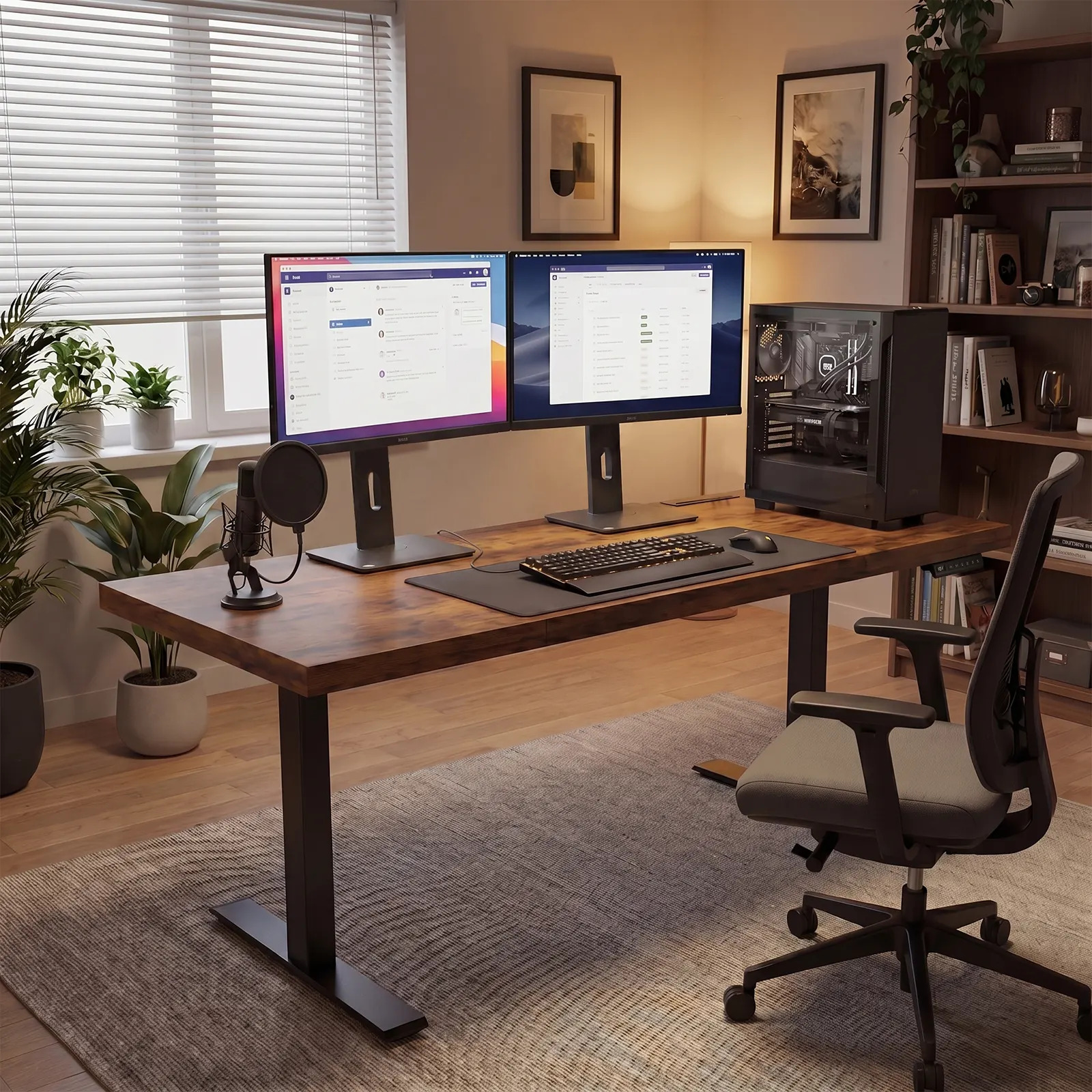
The revised guide compares integrated, minimalist, configurable, premium, compact modular, and design-forward desk paths.
AZUSA, CA, UNITED STATES, September 25, 2026 /EINPresswire.com/ — Buying a standing desk for a professional home office is harder than comparing lift ranges or choosing a familiar brand. A desk may move smoothly and still feel wrong once it carries real equipment, reaches standing height, shares a room with storage, and has to manage chargers and cables every day. The practical question is therefore not which name wins in every situation. It is which brand and model solve the buyer’s actual room, load, organization, and workflow requirements with the fewest unresolved compromises.
OffiGo has revised its six-brand comparison around that decision. The updated guide reviews OffiGo, Autonomous SmartDesk, FlexiSpot, iMovR, Branch, and Eureka Ergonomic as distinct buying paths rather than forcing them into a single universal ranking. It asks buyers to compare what remains usable after a desk is installed: stability under a normal working load, enough depth for screens and input devices, access to storage and power, cable behavior while the top moves, fit within the room, and the clarity of product and support information.
That approach matters because “stable” is not a brand-level adjective. Stability is a property of a specific desk, at a specific height, under a specific load, on a specific floor. A two-leg rectangular desk carrying one laptop faces a different task from a wide workstation holding several screens, speakers, notebooks, and charging equipment. A useful comparison needs to identify those conditions before drawing conclusions.
Guide Findings: Start With the Workstation, Not the Logo
The guide’s first finding is that buyers should define the complete workstation before comparing brands. That definition includes the room dimensions, planned seated and standing positions, desktop equipment, storage volume, cable route, outlet location, and tasks performed at the desk. Without that inventory, a long specification sheet can create the appearance of precision while leaving the most important fit questions unanswered.
The second finding is that stability should be evaluated as a system. Frame geometry and crossbeam support matter, but so do desktop width and depth, weight distribution, floor level, assembly accuracy, and the height at which the desk will be used. Buyers should look for model-level documentation, then test the planned configuration against the listed load limit rather than treating the maximum number as a target. Equipment should be distributed deliberately, and standard monitor stands should be included in the layout calculation when the selected desktop is not designed for monitor arms.
The third finding is that a professional-looking workspace depends heavily on organization. Drawers, shelves, onboard power, and cable trays are not automatic signs of quality, yet each can remove a recurring source of friction when matched to the right routine. Built-in drawers can keep small tools close, but their placement must preserve leg clearance. Integrated outlets can simplify charging, but the moving power lead still needs slack and a safe route. A cable tray is useful only when its capacity and location match the actual adapters and cords.
The fourth finding is that room shape changes the answer. Straight desks are generally easier to place and move, and a wide straight top supports a conventional screen-centered workflow. L-shaped desks can create separate zones for typing, writing, calls, or reference materials, but they require more careful measurement of the return, chair path, doors, and wall clearances. A corner format is valuable when the second zone will be used; it is unnecessary floor area when the workflow remains linear.
Six Brands Represent Six Different Buying Paths
The comparison positions OffiGo as the integrated-workstation path. Selected models combine the lifting desk with storage, power access, screen shelves, or cable management, reducing the number of separate accessories a buyer must plan. This is most relevant to people who want the desk to organize a working setup on installation day rather than serve only as a height-adjustable platform. Buyers should still check each model because features are not uniform across the range.
Autonomous SmartDesk represents a cleaner, more minimalist direct-brand path. Its appeal is straightforward styling and a conventional motorized workstation. That can be appropriate for users who already have a storage and cable plan or want a visually reduced setup. The tradeoff is that a buyer who later needs drawers, shelving, or a more complete charging system may have to add those elements separately.
FlexiSpot represents broad catalog choice. The range gives shoppers multiple frame and price tiers, including options intended for heavier or more stability-sensitive setups. That breadth is useful for buyers who enjoy comparing configurations. It can also increase decision work, because claims and capacities need to be matched to the exact model instead of transferred across the brand’s entire catalog.
iMovR represents a premium ergonomic and finish-oriented route. Its appeal is more refined material and design positioning for buyers who want the home office to resemble a studio or executive setting. The relevant question is whether those finishes and technologies solve a daily requirement that justifies the higher-cost path, rather than whether premium positioning alone makes a desk more suitable.
Branch represents the compact modular office-furniture path. Its current standing-desk range emphasizes restrained shapes, multiple compact sizes, documented controls and lift specifications, and an accessory system for buyers who want to add storage, power, or cable organization selectively. That makes Branch relevant to multipurpose rooms and buyers who prefer a lighter visual footprint. The tradeoff is that an optional drawer, power module, or cable organizer remains a separate configuration and cost decision rather than part of every desk.
Eureka Ergonomic represents the design-forward and format-diverse path. Its current catalog spans conventional standing desks, wing-shaped surfaces, large irregular tops, L-shaped workstations, and executive-style configurations, with selected models adding monitor risers or storage. That range is useful when desktop shape and visual presence are primary constraints. It also makes model-level comparison essential because dimensions, controls, power, storage, materials, and warranty coverage vary substantially across the catalog.
Model-Level Checks Matter More Than Brand Generalizations
A buyer can use five checks to turn these brand directions into a shortlist. First, measure the usable room, not just the open wall. Include the chair pulled back, the standing position, cabinet doors, walking paths, baseboards, and the reach to a power outlet. Second, record every item that will remain on the moving desktop. Third, compare usable depth and work zones, not nominal width alone. Fourth, list which organization features are essential on day one and which can be added later. Fifth, verify assembly, warranty, return, and support information for the exact configuration.
For a wide, screen-centered setup, OffiGo’s 71-inch executive standing desk with built-in power provides a source-grounded example of how those checks come together. The listed configuration has a 71 by 27.6-inch surface, a 29.1-to-48-inch height range, three memory presets, a 1.38-inch three-panel top, dual crossbeams, three AC outlets, two USB ports, two Type-C ports, cable grommets, and a side hook. It is intended for a large linear workstation, has no drawer storage, and should be planned around standard monitor stands rather than monitor arms.
For a corner setup that needs work zones and daily-item storage, OffiGo’s 63-inch L-shaped standing desk with drawers and power is the second example. The listed model uses a reversible L-shaped layout, four fabric drawers, a rear cable tray, three height presets, and integrated AC, USB, and Type-C access. Its stated height range is 29.9 to 46.1 inches. The drawers and return create useful zones, but they also make room measurement, sitting-height fit, and assembly planning more important than they would be for a simple straight desk.
These examples are not evidence that one configuration fits every professional. They show why model detail is necessary. A large straight desk may be the clearer choice for screen-heavy linear work, while an L-shaped layout can suit someone who shifts between screen work and documents. A compact room may benefit more from a smaller straight model, even if a wider desk offers more features on paper.
Stability Should Be Checked at the Height Actually Used
The most relevant stability check is performed at the buyer’s working height with the expected equipment in place. Movement can increase as a desktop rises because leverage changes. That makes a test at the lowest setting incomplete. Buyers should pay attention to front-to-back movement while typing or leaning lightly, side-to-side movement during adjustment, screen movement after a normal input, and whether cords pull as the desk travels.
Assembly also belongs in the stability conversation. Fasteners, desktop sections, feet, and floor-leveling components must be installed and retightened according to the instructions. A desk on an uneven floor can appear structurally weak when the immediate cause is poor leveling. Conversely, a stable showroom example does not prove that every size and configuration in the same brand will behave identically.
Ergonomics Means Position Change Plus Correct Setup
A standing desk is a tool for changing position; it is not a complete ergonomic result by itself. The screen still needs a sensible height and distance, the keyboard and mouse must support a neutral working posture, and the chair must fit the seated arrangement. Users should alternate positions based on comfort and task rather than treating prolonged standing as the goal.
This is another reason to plan storage and cable routes early. The desk should be able to travel between saved heights without pulling a cable, blocking a drawer, moving a floor cabinet, or forcing the user to reposition core equipment. When every transition requires a manual reset, the adjustable feature is less likely to become part of the routine.
A Practical Shortlist for Different Buyers
Buyers who want a completed setup with fewer accessory decisions should begin with integrated-workstation models and verify which storage, power, and cable features are included. Minimalist buyers who already own the supporting pieces may prefer a simpler direct-brand desk. Shoppers who want to tune frame level, surface, and accessories can benefit from a broad catalog, provided they compare exact configurations. Branch belongs on the shortlist when compact sizing, restrained office styling, and optional accessories are more valuable than built-in storage. Eureka Ergonomic belongs there when the room calls for a distinctive surface shape, larger visual presence, or a more specialized layout. Premium buyers should still separate finish preferences from functional requirements.
The strongest purchasing decision is the one that remains clear after brand names are removed. Buyers should be able to explain why the chosen shape fits the room, why its surface supports the equipment, where frequently used items will live, how power will move safely, and which support terms apply. If those answers are missing, another isolated specification rarely fixes the problem.
The full stable professional home office standing desk guide provides the six-brand context, quick comparison, model examples, stability explanation, and buyer FAQ behind this framework. Its conclusion is deliberately conditional: choose for the room and workflow first, then use brand and product documentation to confirm the fit.
OffiGo Workspace Team
OffiGo – Professional Workspace Solutions
Creator@offigo.com
Visit us on social media:
Instagram
YouTube
X
Legal Disclaimer:
EIN Presswire provides this news content “as is” without warranty of any kind. We do not accept any responsibility or liability
for the accuracy, content, images, videos, licenses, completeness, legality, or reliability of the information contained in this
article. If you have any complaints or copyright issues related to this article, kindly contact the author above.

Media gallery